
Cloud computing is the on-demand delivery of IT resources over the Internet with pay-as-you-go pricing. Instead of buying, owning, and maintaining physical data centers and servers, you can access technology services, such as computing power, storage, and databases, on an as-needed basis from a cloud provider like Amazon Web Services (AWS).
When I first heard the term “cloud computing,” it sounded like something only tech giants and engineers dealt with. But once I started learning about it, I realized it’s actually the foundation of much of what we use every day — from Netflix and Gmail to virtual classes and online businesses.
Cloud computing is a technology that allows users to access computing resources such as servers, storage, databases, networking, software, and analytics over the internet instead of using local computers or on-premise infrastructure.
Cloud services are typically offered on a pay-as-you-go model, meaning users only pay for the resources they consume.
- Provides development platforms, storage, software, and databases online.
- Supports multiple service models and deployment models.
- Offers scalability, flexibility, security, and reduced costs.
- Eliminates the need for direct infrastructure management.
What Is Cloud Computing, and How Does It Work?
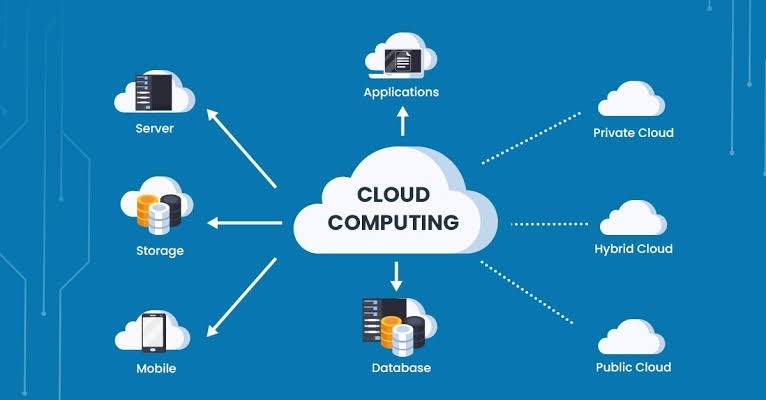
Cloud computing, in simple words, means using, storing, and controlling data online rather than relying on your personal device or computer for storage. It enables users to access services like storage, servers, and software online instead of owning and maintaining the physical hardware.
How does it work?
- Request: You open an app like Google Photos and upload a photo or video.
- Internet Transfer: Your request travels through the internet from your device to the data centre, such as Google Cloud. Examples of other data centre providers are AWS, Microsoft Azure, etc.
- Virtualisation: The cloud data centre is where virtualisation happens; it divides one actual server into many virtual machines so many users can use the physical server while safe from each other.
- Processing and response: Finally, your response will return to your device in milliseconds through the internet.
Why is Cloud Computing Important?
Cloud computing offers several key benefits:
- For businesses that want to save money, cloud computing helps cut out expensive hardware and maintenance. You only pay for what you use, like creating virtual servers or storing files.
- Storing data or files in the cloud can help you easily increase or decrease your resources based on your needs. This flexibility lets businesses adapt quickly to changes—for example, an increase in Black Friday sales or Boxing Day.
- In the event of a disaster, such as a fire, storing files in the cloud serves as a reliable backup, ensuring that important information is not lost. This is especially beneficial for hospitals and government agencies.
- Using cloud service enhances collaboration among workers and ease of getting a file since it is remote.
- Most cloud providers offer fast services, which leads to quicker load times.
- Cloud services are secure.
What Do You Need to Know to Use the Cloud?
- To start using the cloud, you should learn basics like virtual machines, storing data, networking, and security.
- Understand how to back up your data and recover it in case of any issues.
- Learn how pricing works in the cloud so you can monitor and manage your costs effectively.
- Most cloud platforms offer tutorials, tools, and ready-made services to make them easier to understand and speed up development.
It can be overwhelming at first, but just start with the basic services, and everything else will fall into place.
How to Start a Career in Cloud Computing (Step-By-Step for Beginners)
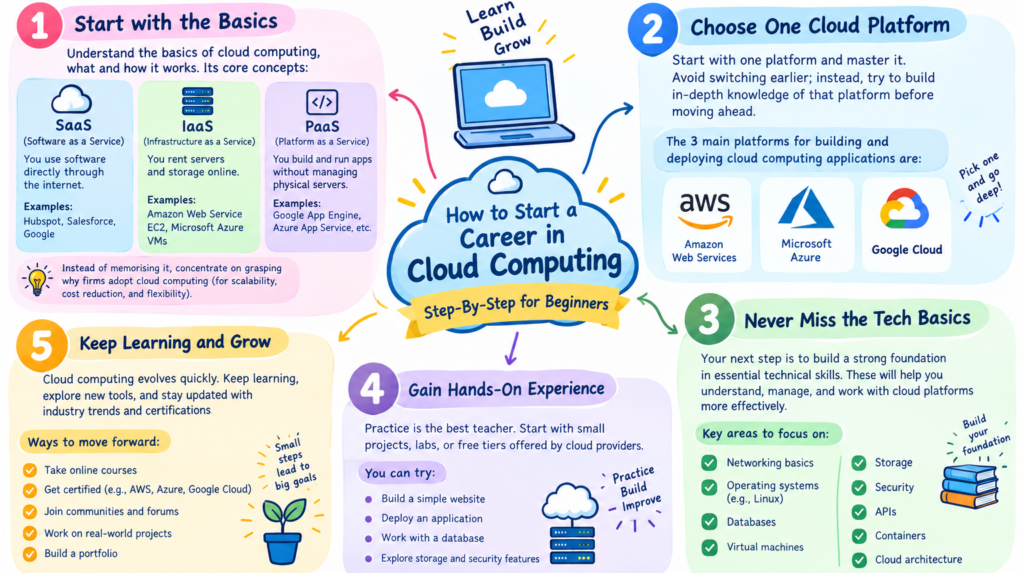
Cloud computing might feel challenging initially. This guide can assist you in learning cloud computing. So, let’s look at this if you wish to learn cloud computing step by step.
1. Start with the basics
Understand the basics of cloud computing, what and how it works. Its core concepts are:
- SaaS: You use software directly through the internet. Example- Hubspot, Salesforce, Google
- IaaS: You rent servers and storage online. Examples- Amazon Web Service EC2, Microsoft Azure VMs
- PaaS: You build and run apps without managing on physical servers. Example- Google App, Engine, Azure App Service, etc
Instead of memorising it, concentrate on grasping why firms adopt cloud computing (for scalability, cost reduction, and flexibility).
2. Choose one Cloud platform
Start with one platform and master it. Avoid switching earlier; instead, try to build in-depth knowledge of that platform before moving ahead. The 3 main platforms for building and deploying cloud computing applications are:
- Amazon Web Services
- Microsoft Azure
- Google Cloud
3. Never miss the tech basics
Your next step should be to develop a technical foundation. This includes Linux basics. Understanding concepts like IP, DNS, and HTTP/HTTPS, and even version control tools like Git. Don’t skip on these, as cloud computing heavily relies on these skill sets.
4. Hands-on practice is a must
Make an account for free ( AWS free tier) and begin using the platform through the creation of virtual machines, storage of data, and setting of access permissions. Experiment with basic cloud computing applications, such as hosting a website or transferring files to the cloud storage system.
5. Work on building simple projects
Start 2-3 beginner-level projects, such as a hosted website, file storage system, or a simple deployed application. Organise and manage your projects on GitHub.
Cloud Computing Tools for Beginners
As you follow your cloud computing roadmap, it is important to familiarise yourself with these common tools used to work with real-life projects.
- Git and GitHub- used for version control and project management
- Command line(Terminal)- used for giving commands to the cloud computing system.
- Docker- used for packaging applications so that they will behave uniformly on any operating system.
- Kubernetes- used to scale and manage multiple applications automatically.
- Terraform- used to create and manage cloud resources using code instead of manual setup.
Strengthen your skills, and these tools will make you job-ready. If you don’t know where to start, go for a cloud computing certification course or boot camps that incorporate practical experience. A platform like Gradus will help you develop these skills and provide you with the right guidance.
What are the benefits of cloud computing?
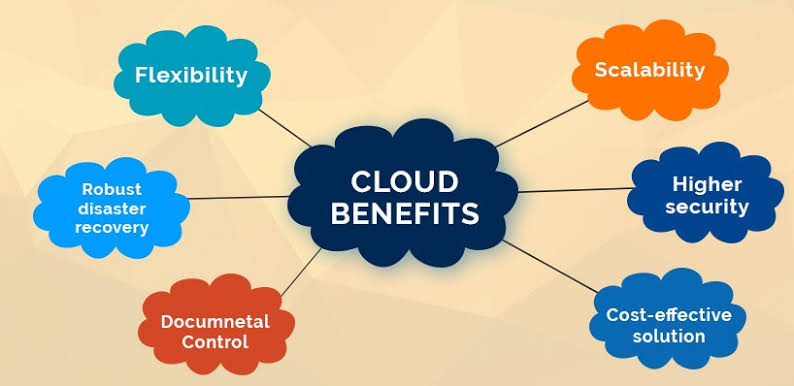
- Scalability: Expand or reduce resources instantly.
- Cost efficiency: Pay-as-you-go model reduces upfront CAPEX.
- Agility: Faster experimentation and innovation.
- Global reach: Access applications anywhere.
- Resilience: Disaster recovery and high availability built-in.
- Security: Advanced encryption and compliance frameworks.
What are the challenges of cloud computing?
- Data security and privacy: Sensitive data in shared environments.
- Compliance: Meeting sector-specific regulations.
- Vendor lock-in: Difficulty moving between providers.
- Cost management: Hidden costs from uncontrolled scaling.
- Complexity: Multi-cloud and hybrid setups require skilled teams.
What are best practices for adopting cloud computing?
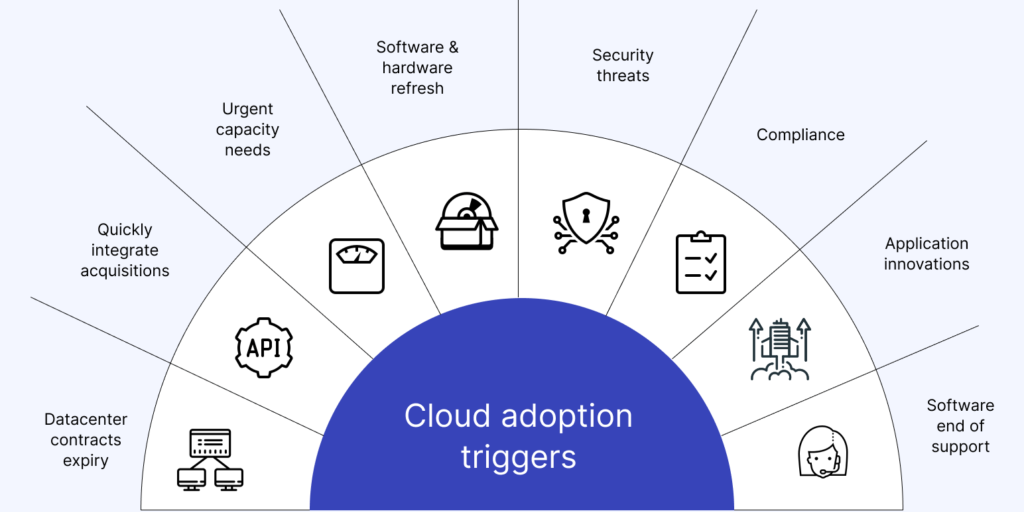
- Define clear migration goals and strategies.
- Choose providers based on compliance, scalability, and cost.
- Implement governance for cost and security monitoring.
- Adopt DevOps and CI/CD practices for faster deployment.
- Train teams on cloud-native tools and architectures.
What is the future of cloud computing?
- AI-powered cloud: Intelligent automation and analytics.
- Edge computing: Processing data closer to devices for low latency.
- Serverless computing: Running code without managing infrastructure.
- Industry-specific clouds: Tailored for healthcare, retail, finance, and logistics.
- Sustainable cloud: Green data centers reducing carbon footprints.
By 2030, over 95% of new digital workloads are expected to be deployed on cloud-native platforms (Gartner).
FAQ’s
1. What is cloud computing in simple words?
Using servers, storage, and software over the internet instead of owning them yourself.
2. Where is the “cloud” actually located?
In secure data centers around the world, filled with real servers run by providers like Amazon, Microsoft, and Google.
3. What are some everyday examples of cloud computing?
Gmail, Google Drive, iCloud, Netflix, Spotify, and Zoom.
4. What are the main types of cloud services?
IaaS (infrastructure), PaaS (app-building platform), and SaaS (ready-to-use software).
5. What is the difference between public, private, and hybrid cloud?
Public is shared, private is for one organization, and hybrid combines both.